|
First time trying one of my Tutorials? Then please check my Terms of Use before you continue
You will need: Font of your choice Tube of your choice - I will be using the artwork of rzhevskii License & Tubes available at PicsForDesign
Filters: Mura's Meister/Copies AAA Filters/Good Vibrations AAA Frames/Foto Frame
******************************************************************************************
Open a New Image 600x250 ... Paste your Tube as a New Layer Layers> Duplicate ... Activate the bottom Tube layer Effects> Mura's Meister> Copies ... *Wall paper(rotate) ... default settings Repeat if necessary to cover canvas
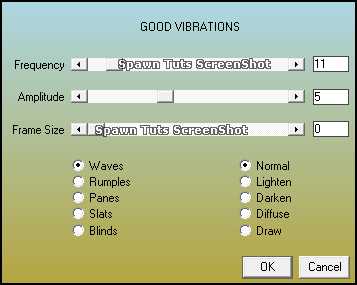
Effects> AAA Filters> Good Vibrations
Change this layers Blend Mode to Luminance or Luminance (L) Layers> New Raster Layer ... Flood Fill this layer with a color from your Tube Layers> Arrange> Send to Bottom
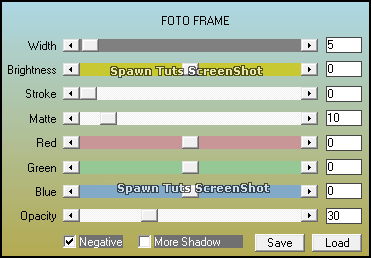
Activate the layer Good Vibrations was used on ... Layers> Merge> Merge Down Selections> Select All ... Selections> Clip to Canvas ... Image> Crop to Selection Effects> AAA Frames> Foto Frame
Layers> New Raster Layer ... Flood Fill this layer with Black Selections> Select All ... Selections> Modify> Contract ... by 1 Edit> Clear ... Selections> Select None Layers> Arrange> Bring to Top
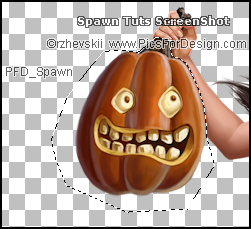
Activate the Tube layer Using your Freehand Selection Tool make a selection around your pumpkin like so
Selections> Promote Selection to Layer ... Selections> Select None Rename this layer Pumpkin ... Apply a Suitable Drop Shadow to your Tube (not just pumpkin layer) Add Copyrights and your Name Hide all layers apart from the Pumpkin layer Edit> Copy Special> Copy Merged
******************************************************************************************
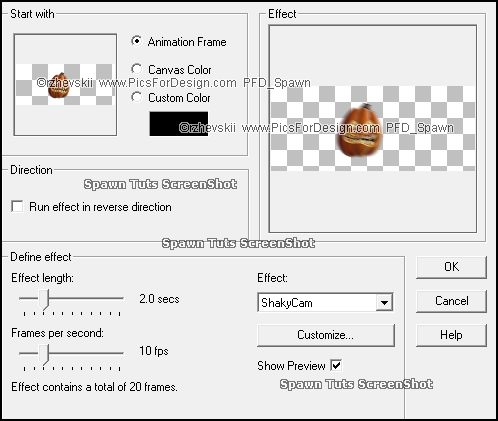
Now open Animation Shop ... Edit> Paste> As New Animation Effects> Insert Image Effect
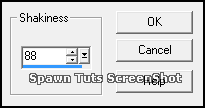
Click on the Customize button
Click on OK then on OK again to apply the effect
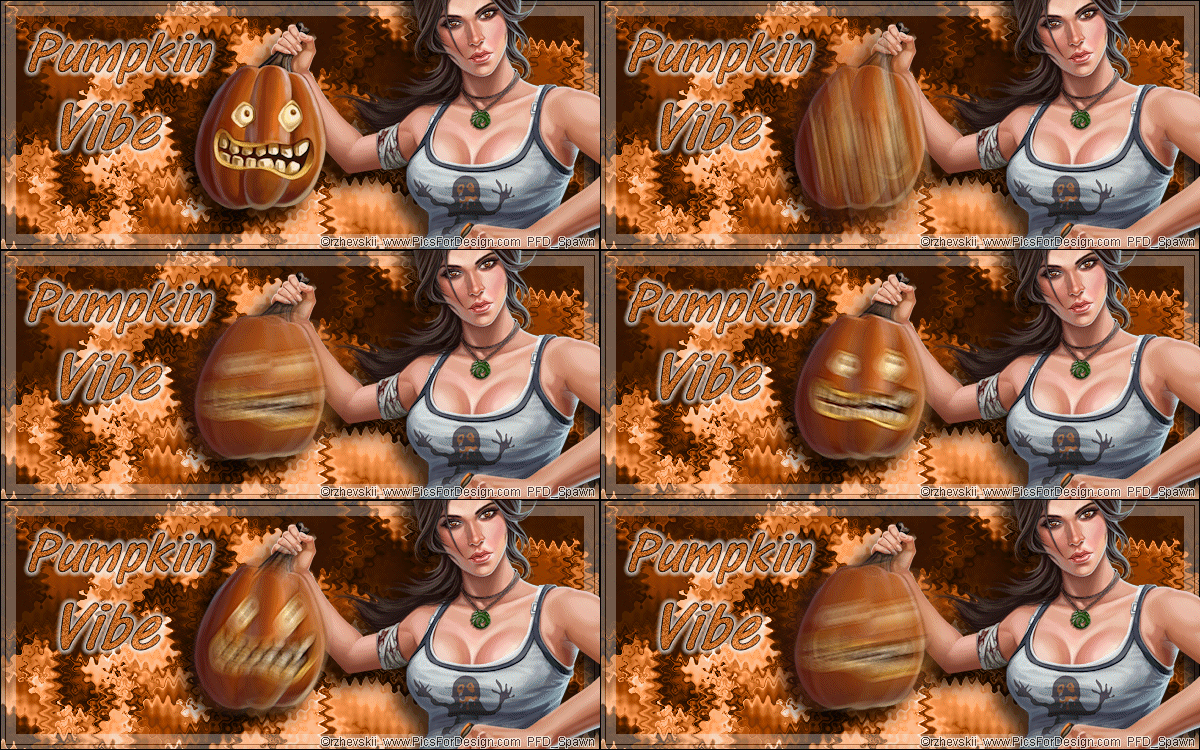
Return to PSP ... Hide the Pumpkin layer and unhide all other layers Edit> Copy Special> Copy Merged Go back to Animation Shop ... Edit >Paste> As New Animation
Hold down CTRL + SHIFT on your keyboard and hit L until you have 21 frames Activate the Pumpkin Animation ... Edit> Select All ... Edit> Copy Activate the Tag ... Edit> Select All ... Edit> Paste> Into Selected Frame
Click on Frame 1 so it is the only one selected ... Animation> Frame Properties ... set to 100
****************************************************************************************** Tutorial written on 03/11/2018 ©David Hanslip |